🌱 Growing Plant
Every completed task makes your plant grow through 4 stages. Visual motivation that actually works.
A Pomodoro timer where a virtual plant grows every time you complete a task.
Register your tasks, set a timer, and watch your plant grow through 4 stages as you stay focused. Track progress, organize with a calendar, and build lasting habits — all in your browser, no account needed.
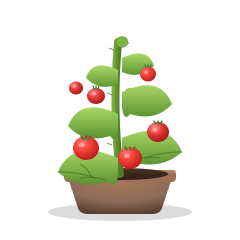
Every completed task makes your plant grow through 4 stages. Visual motivation that actually works.
Classic 25/5 technique with customizable focus and break durations for any workflow.
Add, edit, delete and mark tasks complete. Everything saved locally, zero signup required.
Plan your tasks by date and set deadlines. See your week at a glance.
Track focus time, tasks completed, streaks and plant growth over time.
No accounts, no servers, no tracking. Your data stays in your browser.
Get one-click access to your Pomodoro timer from your home screen, desktop, or dock — no download required.
Free forever. No signup. Works offline.
🌱 Launch Plantask Web App